
For years, FileMaker Pro Runtime was a quiet hero in the world of custom apps. It allowed developers to package their FileMaker solutions into standalone applications and distribute them freely, without requiring end users to purchase a FileMaker license. This democratized access to small, purpose-built tools—whether for nonprofits, classrooms, or niche business workflows. Claris recently removed Runtime functionality. Here is a workaround…
Continue reading
Archive | FileMaker RSS feed for this section



The Loss of FileMaker Pro Runtime — and a New Path Forward
 November 22, 2025
  Comments Off on The Loss of FileMaker Pro Runtime — and a New Path Forward
Historical Foreign Exchange Lookup in FileMaker
June 17, 2023 1 Comment
Scripts to look up Foreign Exchange rates seem to be something of a recurring item on this blog. It is because the Internet keeps changing and what worked last year, doesn’t necessarily work this year. Also, this time, I had a need for looking up foreign exchange rates on a specific date. I found another […]
Continue reading FileMaker to Google Translate for Longer Texts
February 20, 2023 3 Comments
ChatGPT is a better FileMaker Programmer Than Me
So, I decided to ask ChatGPT to re-create the script that I had worked so hard on. In a few seconds, the way it does, it came back with a much simpler way of doing the task.
Continue readingSimple Pick Lists in FileMaker Pro
November 7, 2022 Comments Off on Simple Pick Lists in FileMaker Pro
Download Demo File Recently, I was explaining the Pick List technique for a friend and thought there might be a good example online, but couldn’t find one, so here is my version. This is a pretty simple technique and can be adapted to many different aspects of a solution. Whenever you want to get data […]
Continue reading Word Cloud D3 Javascript in a Web Viewer in FileMaker
April 8, 2019 Comments Off on Word Cloud D3 Javascript in a Web Viewer in FileMaker
I built a Word Cloud to run in FileMaker using an existing D3 Javascript that generates a Word Cloud. I designed it to work on the Desktop or iOS, using the same layout.
Continue reading Building Folder Structures in the Finder with FileMaker Pro 17
December 11, 2018 4 Comments
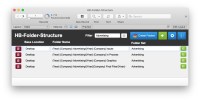
In keeping with the principle, “Why use a screwdriver, when I have this hammer right here?”, I decided, instead of just downloading a free utility from the Mac App Store, I would build folder creation functionality using FileMaker Pro Advanced 17.
Continue reading Elapsed Time Display in a Web Viewer
November 21, 2018 Comments Off on Elapsed Time Display in a Web Viewer
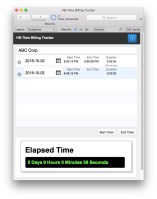
A simple approach, easy to integrate into other FileMaker solutions. A Web Viewer is being sent an HTML page with a Javascript timer displaying the elapsed time. Using the same FileMaker Start Timer script, a Start Time field is set at the same start time and then ended when clicking a FileMaker End Timer button/script.
Continue reading
 HomeBase Software