

 October 25, 2026
Oct 25, 2026
Times Change
I recently did something I would not have predicted a year ago. I wrote a handful of working Javascript apps without really knowing how to write them at all. There is a name for it: “vibe coding.”
It started from a practical concern, not as a hobby. One of the not-for-profit groups I have done work for has been using a FileMaker Pro app to generate their camp directory every summer. It was running on an older version, FileMaker Pro 19. This is the same version of FileMaker I have been using since I retired almost ten years ago. I wanted to see whether an AI (artificial intelligence) assistant could help me build my way around the problem.
Two warnings at once
The trouble came from two directions, more or less at the same time.
The first was FileMaker Pro. Claris ended support for FileMaker 19.6 on December 19, 2024. “Ended support” means no more fixes, no more security updates and no help line. Moving to the current version means buying a new licence — $800 Cdn, and for a small organization that is not pocket change. I was fairly sure this wouldn’t fly, especially since the directory is, while treasured by the kids, an afterthought for the organizers.
The second was Apple itself. Macs used to run on processors (the main computer chip) made by Intel. Since 2020 Apple has switched to its own chips. In June 2025 Apple announced that macOS Tahoe 26 would be the last version for Intel Macs, with security updates for about three years after that. More significantly, Apple also said that Rosetta 2, the behind-the-scenes translator that lets older Intel programs run on the new Apple chips, will be cut back starting with macOS 28, expected in the fall of 2027. Recent versions of macOS have started showing pop-up warnings when you open an app that depends on it.
Put those two together and you have an old program with an expiry date, holding something that the camp kids actually use. That is not a crisis, but it is the kind of thing that turns into one if you ignore it long enough. I wanted to be ahead of the curve.
What “vibe coding” means
Vibe coding is writing software by describing what you want in plain English to an AI assistant, and letting it write the actual code. You try the result, say what’s wrong, and it tries again. You steer; it types the code. The term was apparently coined by Andrej Karpathy, a well-known AI researcher, in early 2025, and it caught on faster than anyone expected.
The assistant I used was Claude, made by a company called Anthropic. You might have heard of it. I did not write the code line by line. I described what the app needed to do, looked at what came back, and complained (politely, I want to stay on their good side), often in some detail. That part I was already good at. A career of building databases for other people teaches you how to explain what a program should do, and how to spot when it isn’t doing it.
The entire app that Claude handed me back is a single HTML page. A single page means there is nothing to install: I can give it to a user, they double-click the file and it opens in their web browser. It also means the information can stay on the organization’s computer rather than being sent off to some server.
I found these features the most appealing aspects of singe page web apps — easy to install, secure, no Internet traffic. The browser as a runtime. Everyone has it installed on their computer and everyone understands how to use it, so very little technical support is required.
The camp directory
The FileMaker app I was replacing generated a camp directory as a PDF for printing and distribution to all the campers and staff. Every session, campers and staff get a printed booklet: a photo of each person, their contact details and a short bio they wrote themselves. It is a small thing, but the kid’s keep them for years as a memory of their time at camp. Since 2018, the FileMaker app was how that booklet got made.
The camp’s registration system holds all the information. Getting it out is another matter. The names, addresses and bios come out easily enough as a spreadsheet. The photos, strangely, do not come out as photo files at all. The only way to get them is a PDF (Portable Document Format, the file type for documents meant to be printed) with each person’s picture on a page beside their name. Why anyone would design it that way, I cannot tell you. I assume there was a reason once. Repeated requests do not seem to have penetrated the software company who created the registration system.
So my first request to Claude was modest: write me something that pulls every photo out of that PDF. That worked surprisingly well and very quickly. Then, as tends to happen, I kept asking for one more thing. Could it read the name printed next to each photo and name the .jpg file with that name so I can match it to the right person in the spreadsheet? Could it cope with typos, so that “Feliks” in one place still matches “Felix” in the other? Could it sort Campers from Staff, work out everyone’s age from their birthdate, and lay the whole thing out as a two-column booklet ready to print. How about adjustable margins, font sizes and spacing so a 20 page booklet could shrink to 16 if budgets were tight?
It could, eventually. The result is Camp Directory Builder. You give it the spreadsheet and the photo PDF, it matches them up, and it hands back a finished PDF directory. Anyone it can’t match is flagged as “No Photo” so a the admin person can sort it out by hand.
Another great feature — ongoing support on both sides of the equation. Browsers are unlikely to go away. If I stop being able to support this, and the organization needs a new feature, they can just feed the app back into Claude, ChatGPT or Google Gemini and ask it to revise and add the new feature. No need to find a FileMaker developer to take this on.

The matching screen. Green means matched, orange means a close guess, red means no photo found.
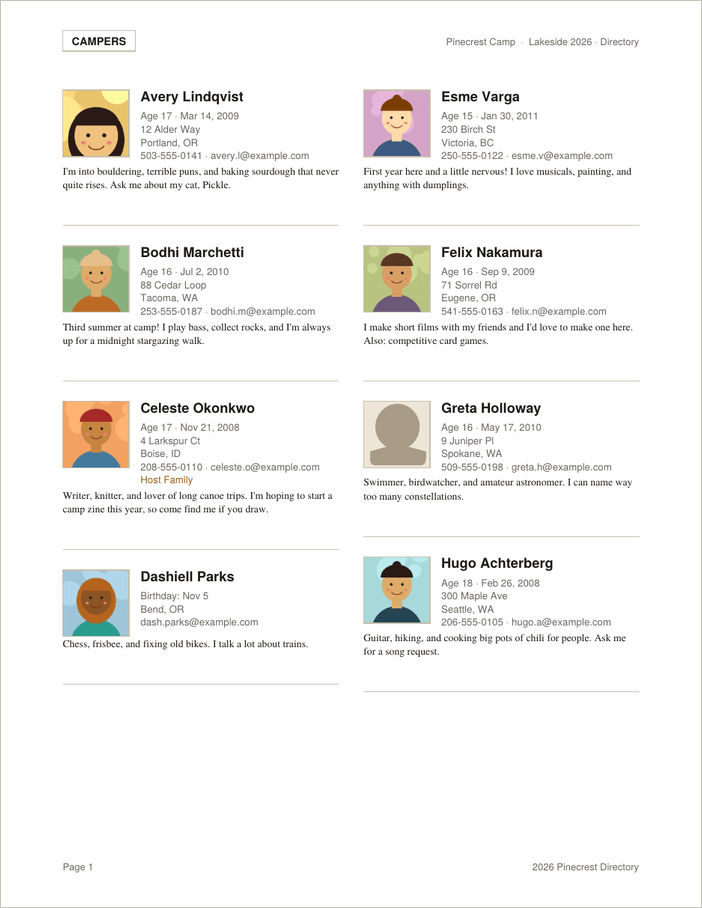
A sample of a page of the finished directory.
The app itself works the same way: it runs entirely in your browser and nothing is uploaded anywhere. It also works in Safari on a Mac, iPhone or iPad, which was a requirement, because that is what the people who will use it actually own.
We tested it this summer, creating the directory for this year’s camp from it. Overnight, it replaced a FileMaker app that I have been tweaking for 8 years. Maybe FileMaker was a little slicker for editing the kids’ bios in place, but overall I would say that the web app is easier to understand, because everyone knows how to do basic data entry in a browser, whereas FileMaker’s Current Record notion can be a little strange for some.
And then I couldn’t stop
Once the camp directory worked, I had a problem of a different kind. I had learned that I could describe a program and get one back within minutes. That is a dangerous thing to learn in retirement. I now have 15 projects on my GitHub page. GitHub is a free website where programmers store and share their code; think of it as a public filing cabinet. Each project below is a single web page you can open and use in your browser, and each name links to its page on GitHub. Feel free to try them out and download any that you are interested in.
Some of them started with a commercial app I had used and liked, until something changed. Some apps switched to a subscription, so that a tool I had paid for once now wanted to be paid every month. Others moved the one feature I actually used behind an expensive upgrade. I suppose that is their business. It is also, I found, an excellent motivator for me to move on. In keeping with my philosophy of “Why use a screwdriver, when I have this hammer right here?”, I decided to build my own. A few of the projects were simply ideas I had for something that didn’t seem to exist, or at least that I couldn’t find with ordinary searching. Either it really didn’t exist, or I am worse at searching than I think. Probably a bit of both.
For musicians
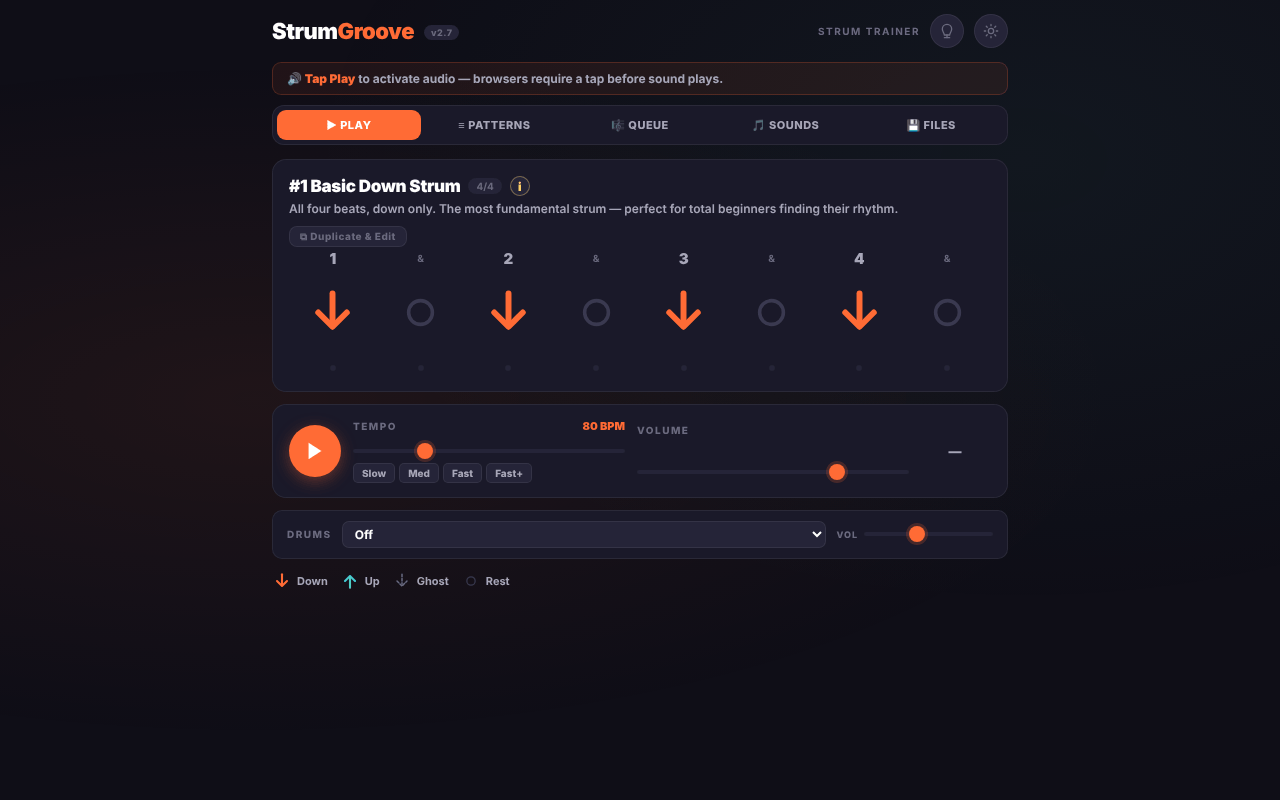
Strum Groove helps guitar and ukulele players learn and practise strumming patterns. I’ve been learning ukelele in my doting years and wanted to pick up some new strumming patterns. Turns out, from a potentially infinite number of ways to strum a stringed instrument, there are about 50 that are most commonly used. This app is like a metronome for strumming patterns and can help you pick up some new rhythms. I started with just uke, but added guitar to make it more universal — turns out the strumming part is the same for both.
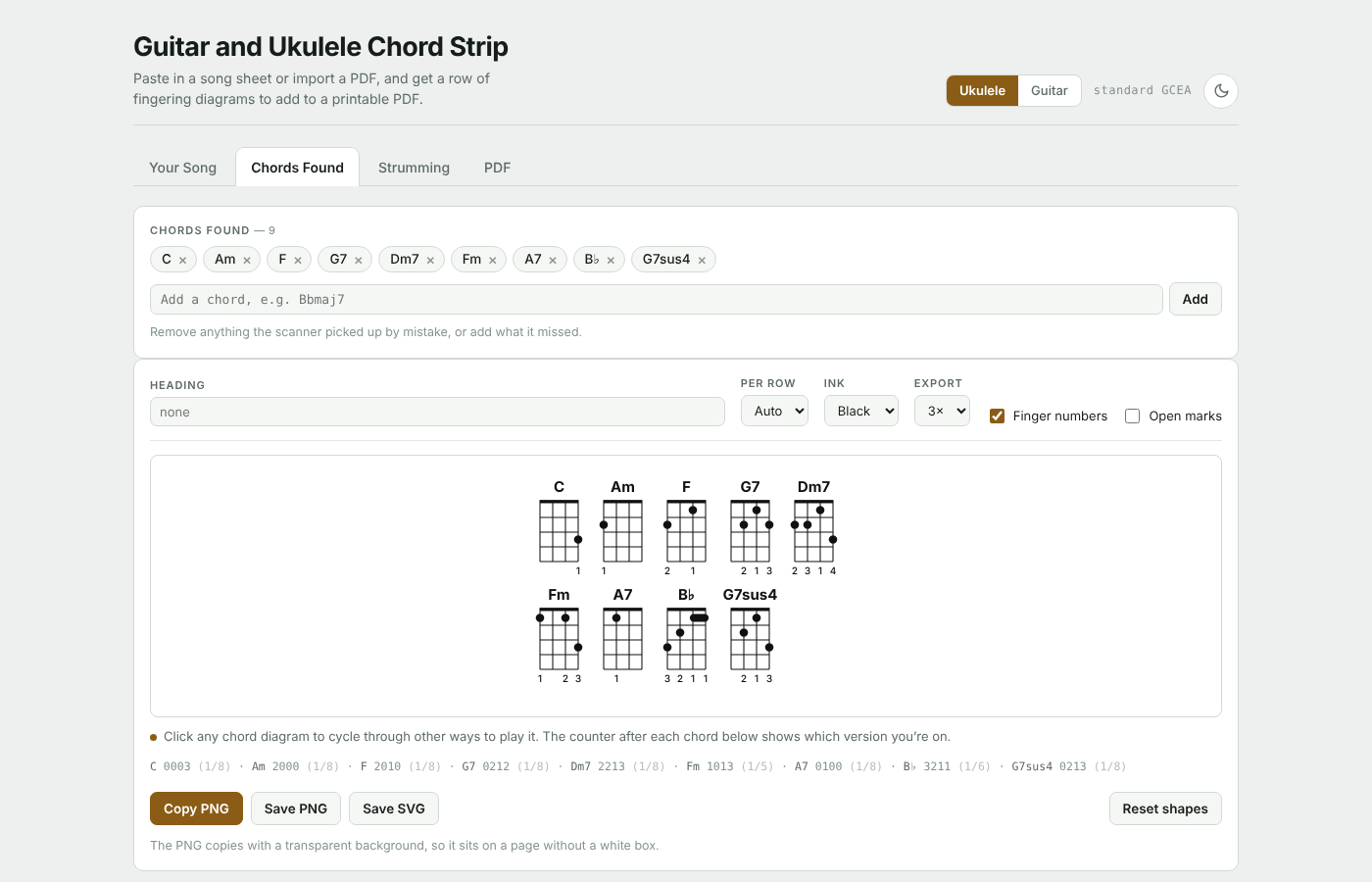
Guitar and Ukulele Chord Strip adds chord fingering diagrams to PDF sheet music, so you don’t have to remember what a B-flat looks like. Another issue came up when learning the ukelele. I’d think of a song I’d like to learn. Searching for “uke chords Little Feat Willin'” will likely find you the chords. Sometimes, with less popular songs, you might find the chords, but they are for guitar, or the web site wants you to sign up to print out the chords. This app lets you copy and paste the lyrics and chords into it, and then it generates the chord strips, the little visual aids of where to put your fingers to get the right sound. It also comes in handy when the printed version from the web site is spread over four pages and you want to limit to one or two pages, or switch from chords above the line, to chords embedded in the text.
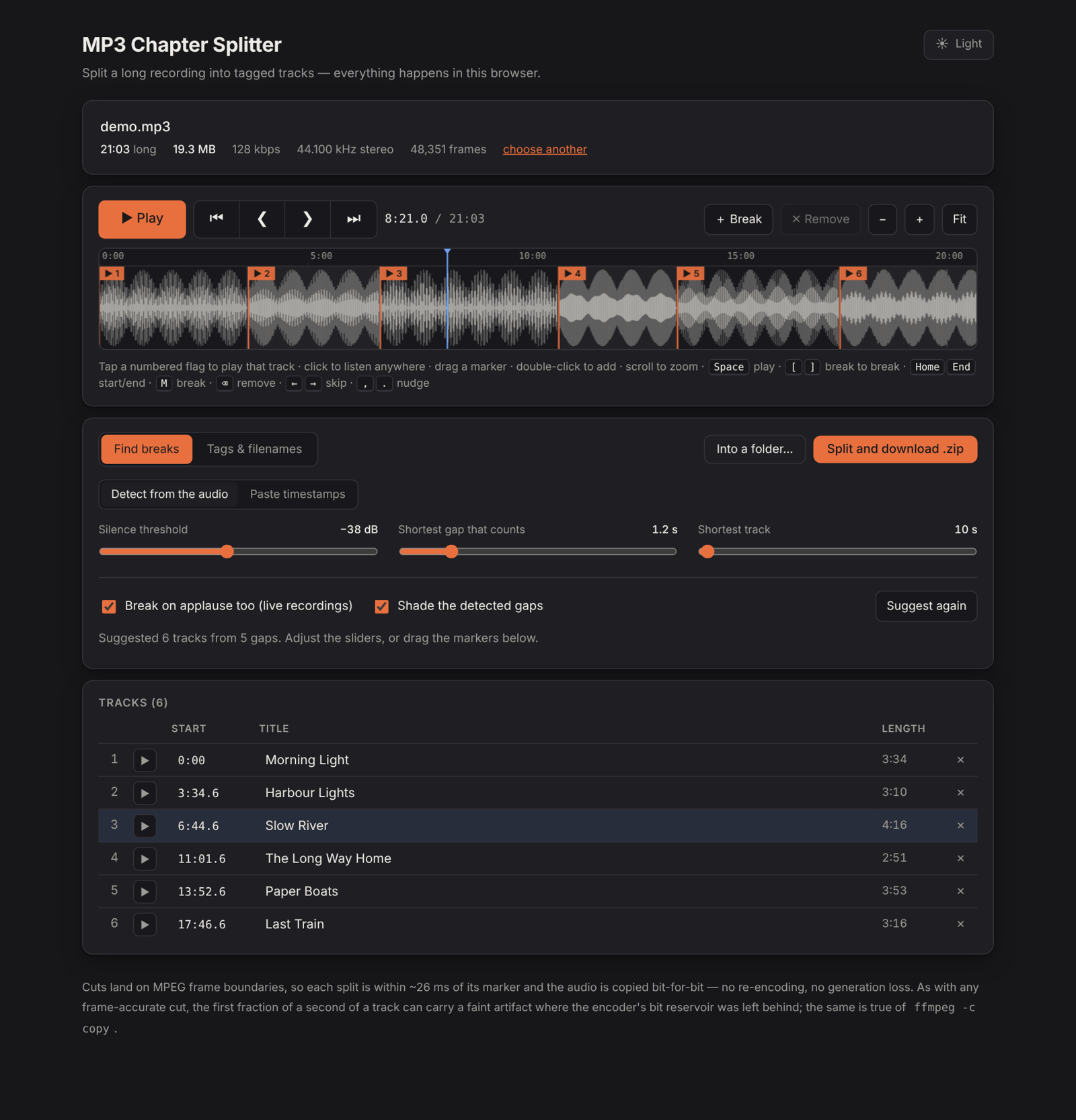
MP3 Chapter Splitter takes one long MP3 audio file, such as a concert or an audiobook, and cuts it into separate tracks with names and labels. Ever download a concert file and wish there was an easy way to split it up into the individual songs to import into your music player? This will do it.
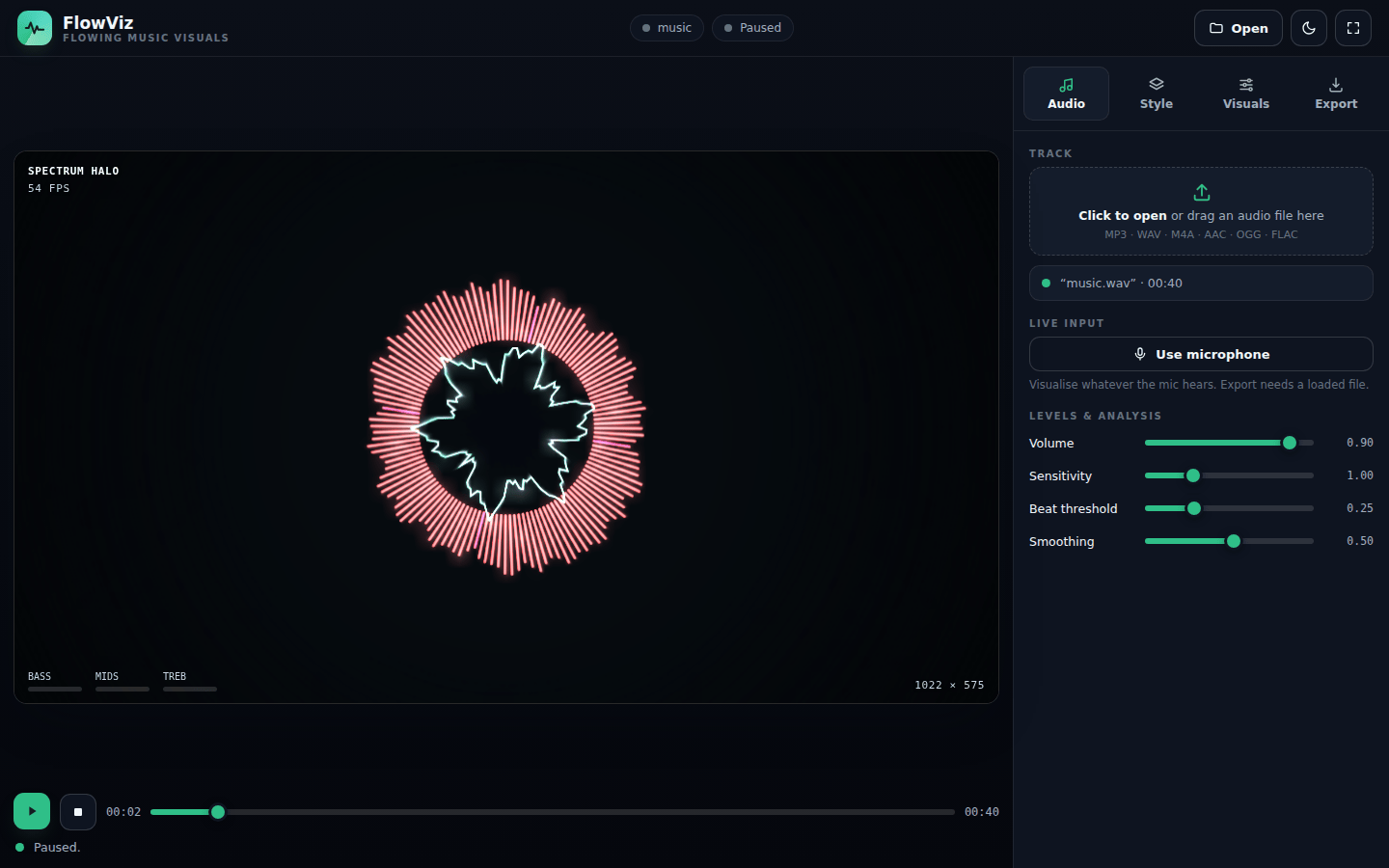
Flow Viz makes moving pictures that dance along with your music, in 33 different styles, and saves them as video. This one is cool, not quite what I want yet, but it is basically a music visualizer. Drop a song on and the visuals morph along with all these bright beautiful patterns in time with the music.
For animation and video
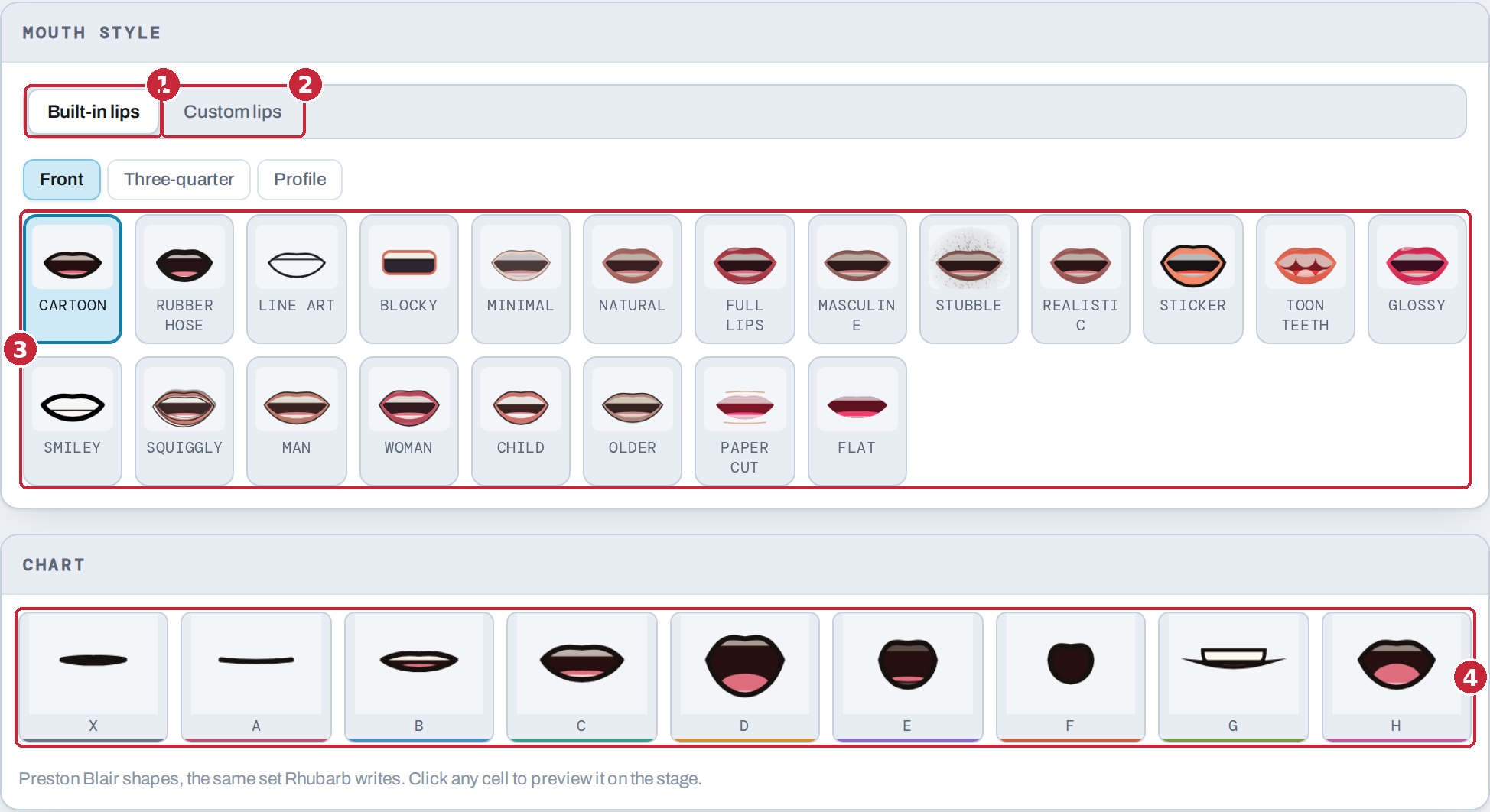
Lip Sync Generator ‘listens’ to a voice recording and works out which cartoon mouth shape belongs on each frame. My granddaughter and I sometimes make movies together — Lego movies, and lately Barbie movies. I wanted an easy way to put lips on the plastic faces to sync with the voice overs we create. Initially, it was just a way to generate GIF or animated PNGs of the lips to import into programs like Procreate Dreams, ToonSquid, iMovie or Final Cut Pro. I got carried away with the ability to add puppets and add layers to generate a full dialog of back and forth banter right in the app. This is probably the app that I took the farthest. It also gave me an appreciation for what it takes to do good app design. (plan ahead, don’t come up with features on the fly) I don’t think I have that quite yet.
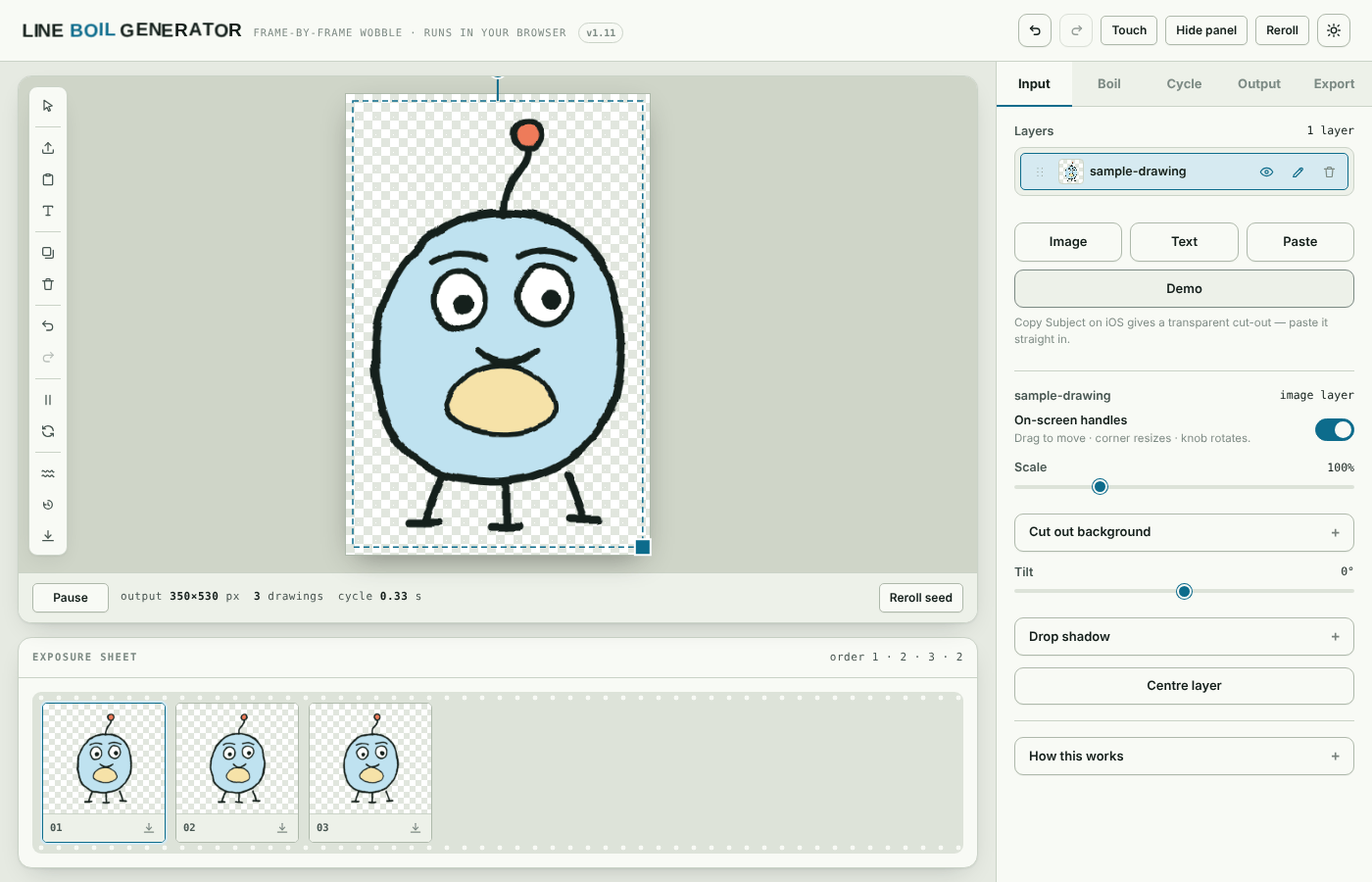
Line Boil Generator turns a drawing or some text into a short loop where the lines wobble slightly, the hand-drawn “boiling” look of old cartoons. One of the simplest animation techniques is called a ‘line boil’ basically you draw the same drawing three or more times, with slight variations in line drawing. The result is something that moves and seems alive, or at least lively. This app is designed to do that with images, text and even layers of each.
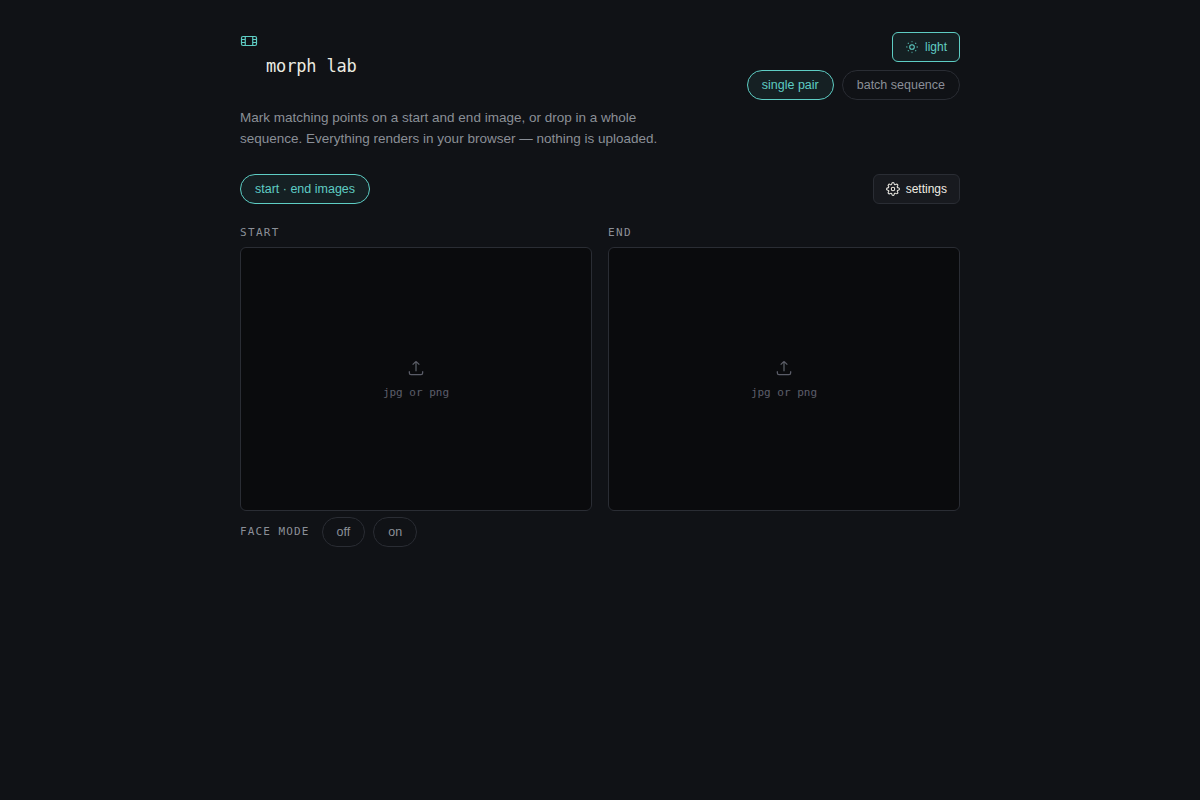
Morph Lab makes a smooth transition from one picture into another. A few years ago morphing photos was all the rage. I still like this effect but wasn’t happy with any of the existing apps, so I let Claude build one for me.
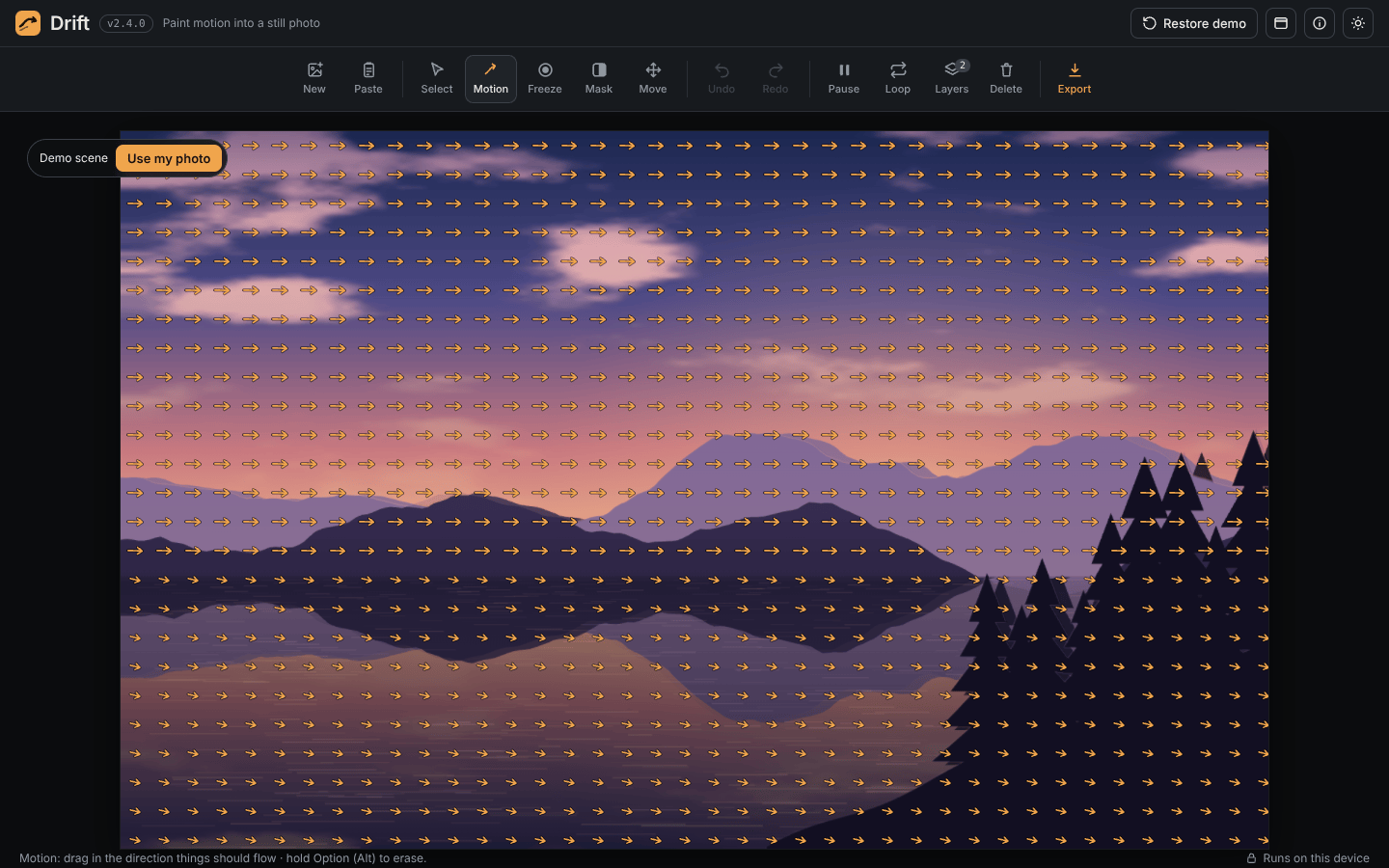
Drift Studio makes cinemagraphs: still photos where one small part keeps moving, like water in a stream. Another, probably overused, effect is called a cinemagraph. This app will allow you to mask and use different layers to achieve the effect.
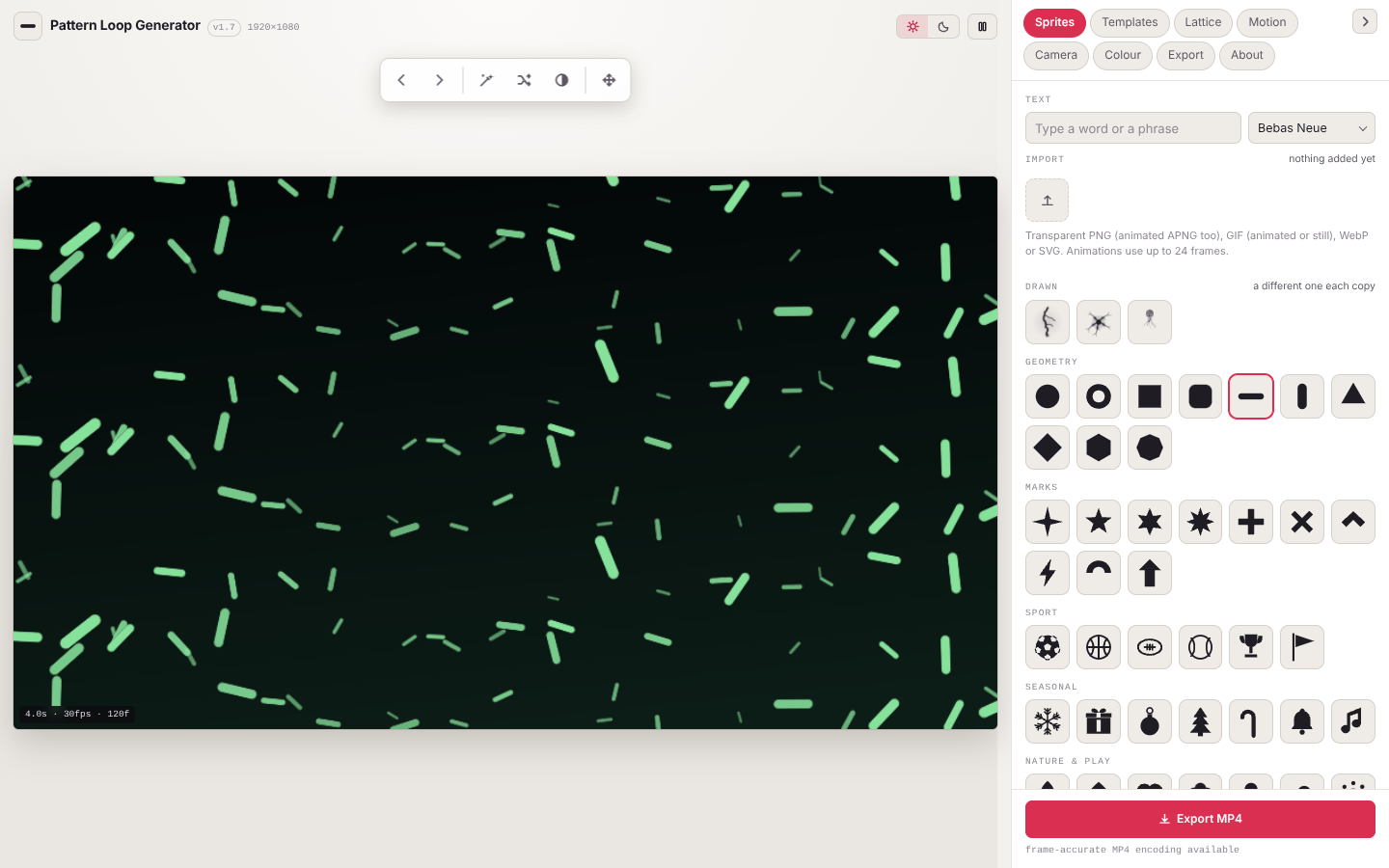
Pattern Loop Generator makes endlessly repeating patterns and saves them as video backgrounds. This app is useful for generating background images of repeating patterns.
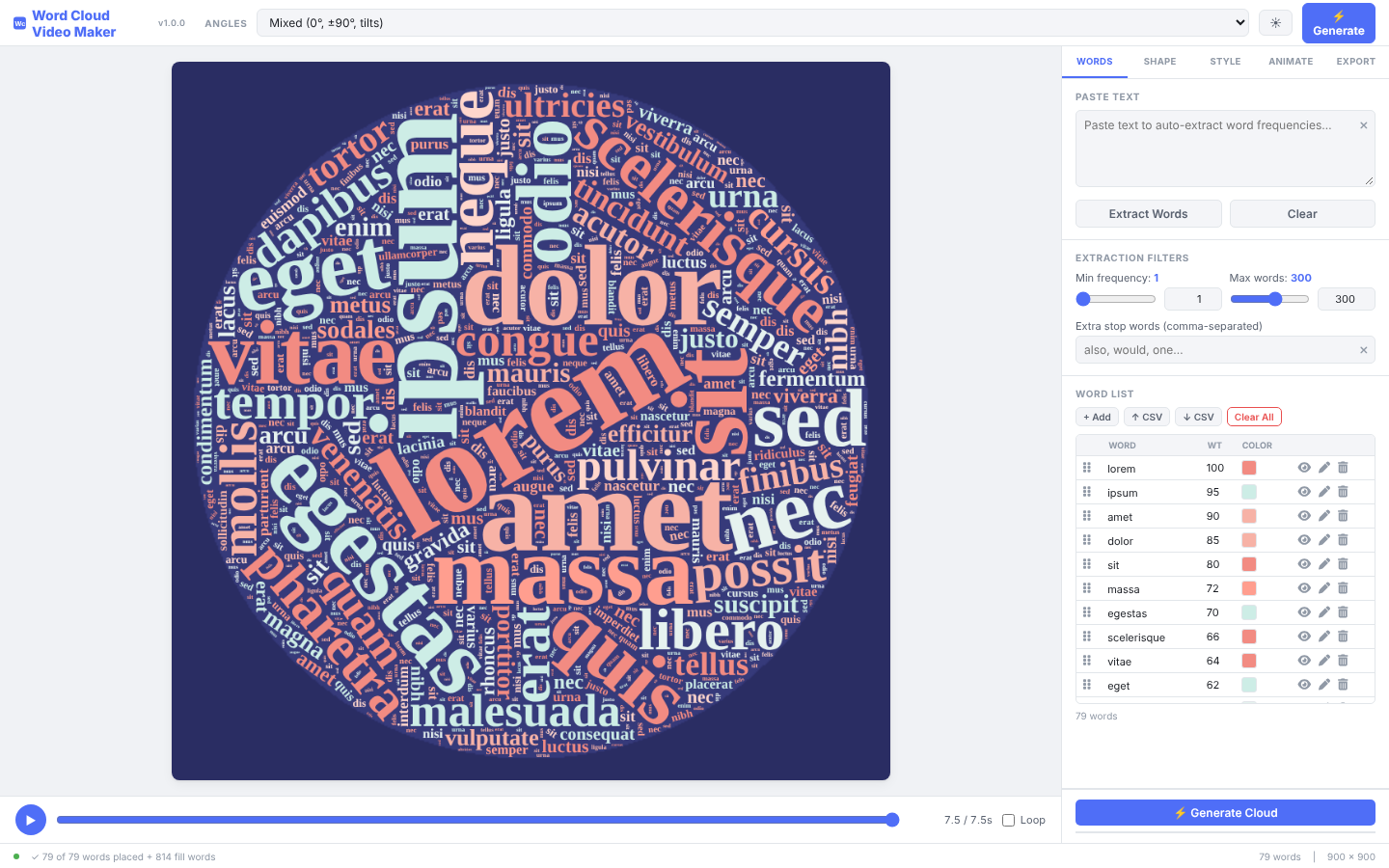
Word Cloud Video Maker makes short videos of word clouds assembling themselves from a list of words. There are lots of these out there on the Internet, but I wanted features from multiple apps, local and advertising free, so I asked Claude to create an app that combined the features.
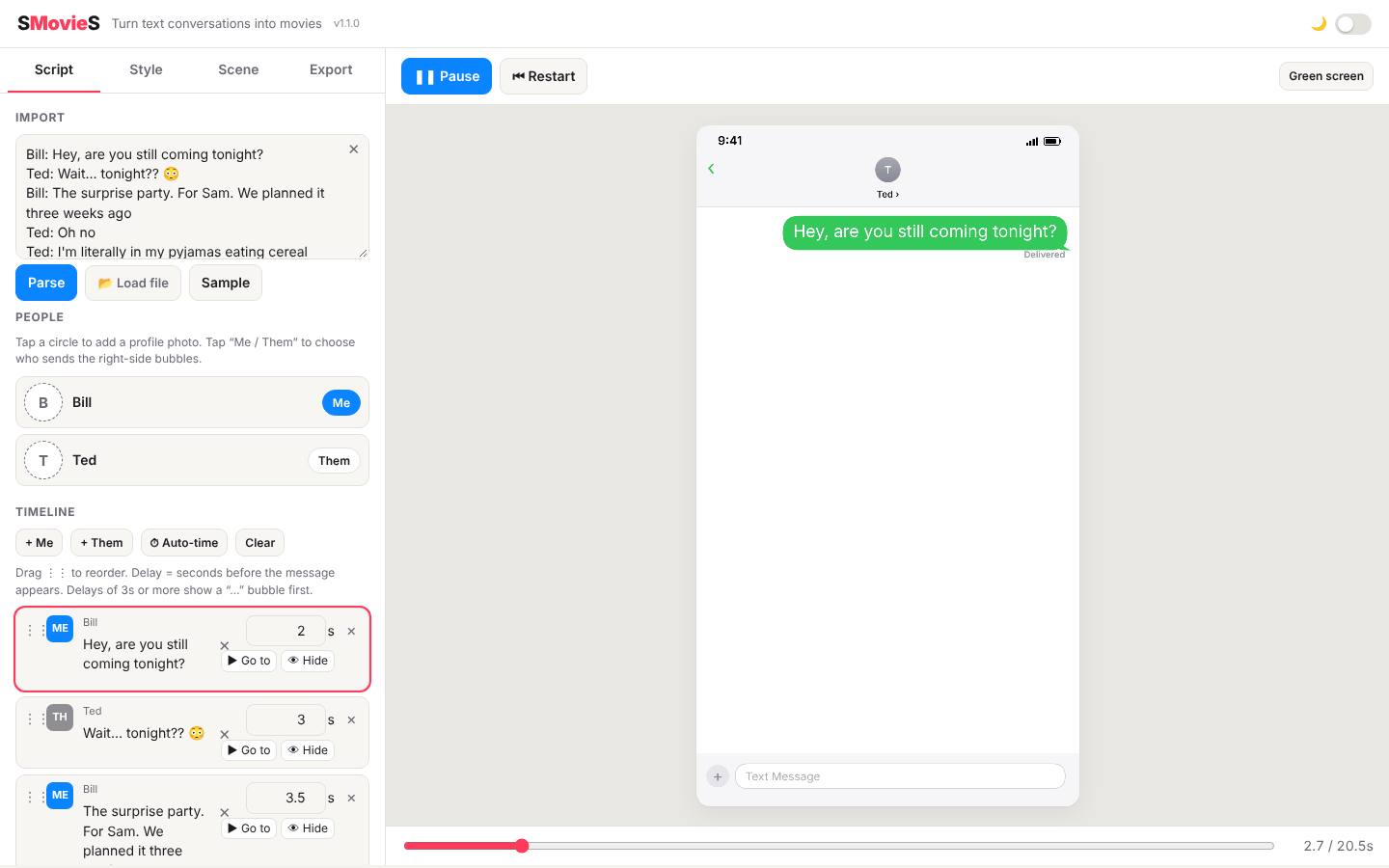
SMovieS makes videos of text-message conversations, the kind you see in videos where a phone screen fills up with bubbles. I have apps that will recreate text conversations in Final Cut Pro, but they are a bit clunky to use. This app lets you paste in the conversation, time the speed of playback for each message and then export as a video file, which can then be imported into Final Cut Pro or other video editors. SMS movies – SMovieS — get it?
For presentations
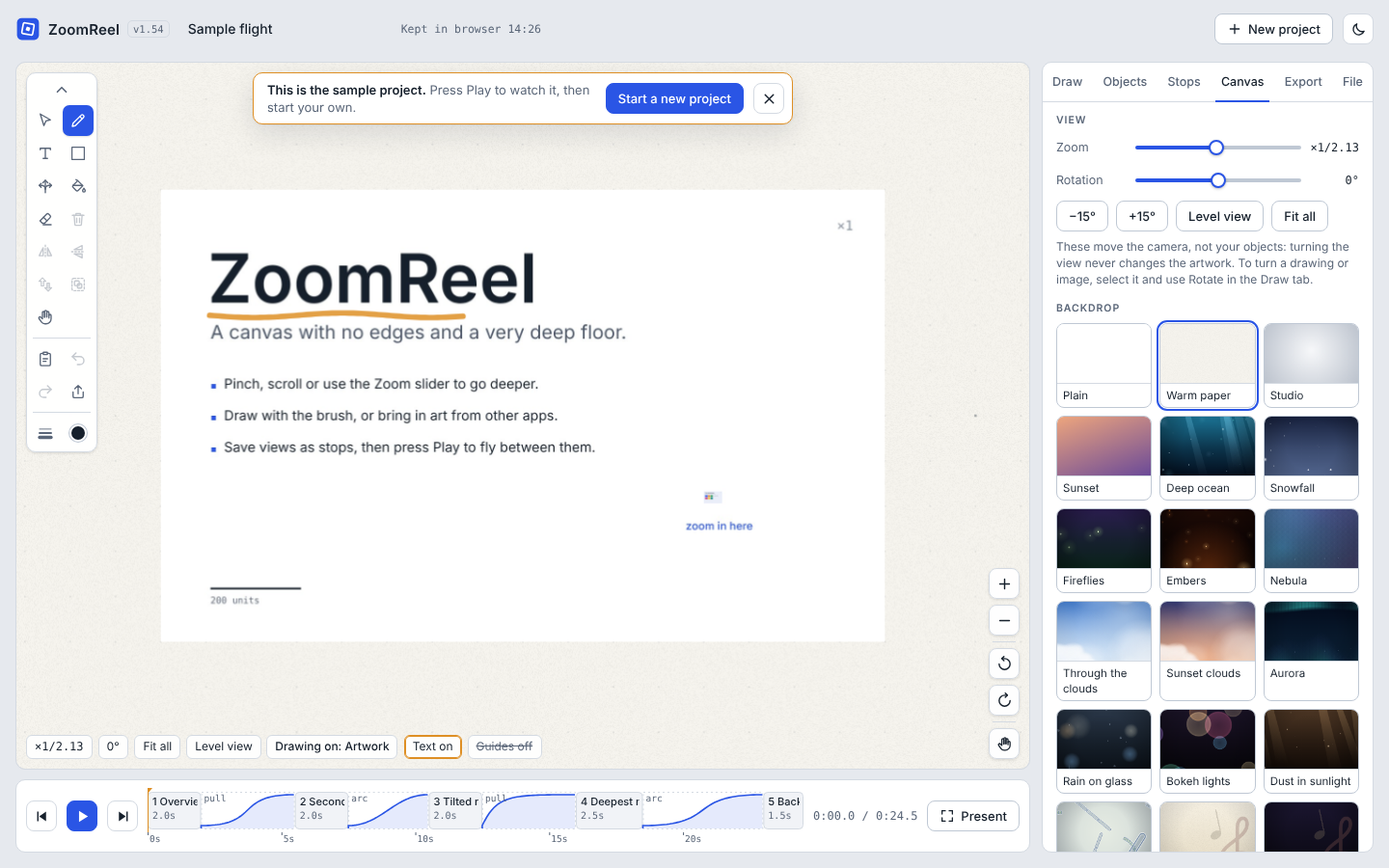
ZoomReel is an endless drawing space you can zoom around in and turn into a slideshow. This was another app I built after watching my granddaughter use an infinite canvas drawing app this summer. She would make these intricate worlds with images all the way down, but then to play it back, she had to be the one driving the iPad, as anyone else would get lost. I thought what it needed was a kind of slideshow feature to bookmark (and smoothly traverse) these deep drawing worlds and then output it as a movie for future viewing.
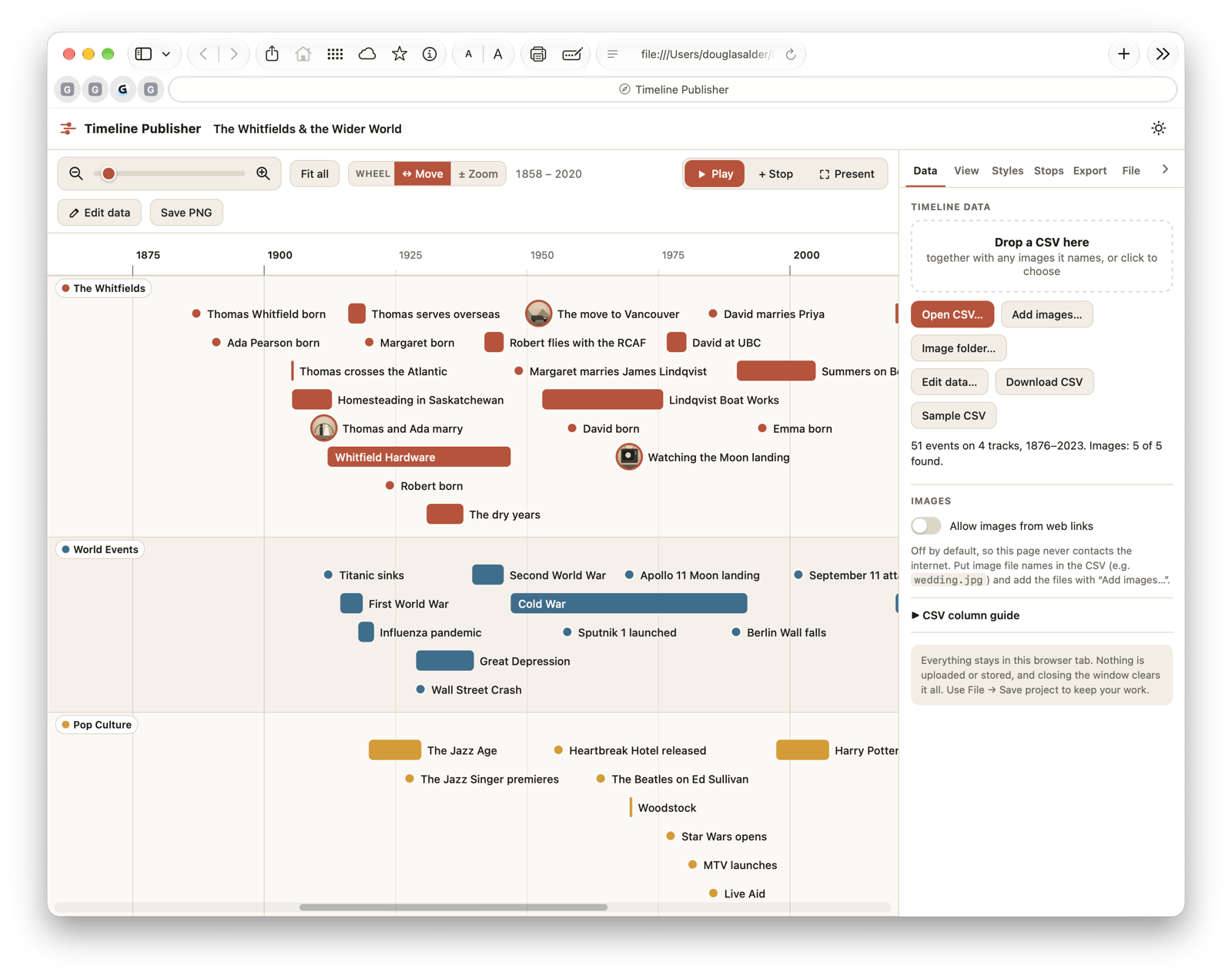
Timeline Publisher builds detailed timelines that can be shown as a 3D slideshow. I’ve been obsessed with timelines since I bought an Adams Time Chart a visual time chart made in the 19th Century many years ago (late 20th Century). I wanted a way to build timelines for family histories. I’ve tried many different apps for this and again wanted to combine features from different apps. I thought Claude did a very good job of merging some of these functions together.
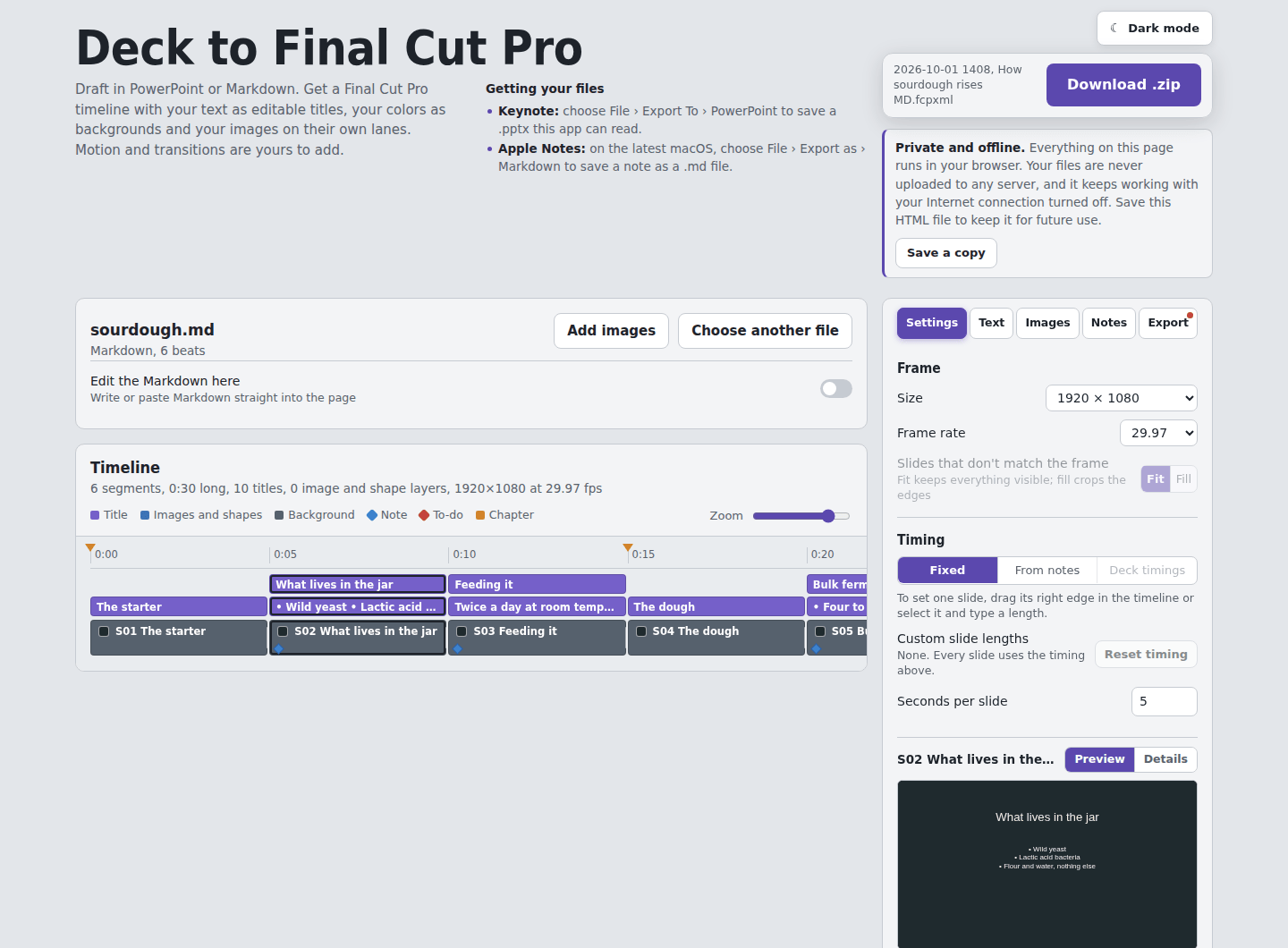
Deck to Final Cut Pro converts a PowerPoint or plain-text presentation into a project for Final Cut Pro, Apple’s video-editing program. For a while I was building animated slideshows in Keynote and then exporting them as movies to include in a Final Cut Pro video edit. I always wondered why one couldn’t start an idea in Keynote or Powerpoint and polish it in Final Cut Pro. Since the Powerpoint format is XML and Final Cut Pro imports an xml file, I thought it was worth a try. Unfortunately, complicated transitions and animations are bit much for the translation.
What I took away from my Vibe Coding
A few things stand out, though I am still learning.
First, the skill that mattered was not programming. It was knowing what I wanted and being able to say so clearly. The assistant is very good at writing code and not at all good at reading minds. When I was vague, I got something vague back. When I described exactly what a screen should do, and what should happen when someone does something unexpected, it generally did that.
Here is my prompt for getting closer to what I want each time. I put this in my account preferences so it gets read when starting on a new app.
- App creation:
- With every html app I request, I would like a toggle for light and dark mode.
- Create and include a favicon for each app.
- When there are a lot of on screen controls I prefer tabbed interfaces.
- Place this tab set off to the right of whatever preview or timeline is being created.
- Try and keep as many of the controls above the fold, so the user doesn’t have to scroll down to reach the controls.
- Whenever there are rows of records – include the following icons and their functions – drag and drop to rearrange, hide/show, edit/confirm, Go To, delete.
- If the app runs on touch interface devices, conditionally, make the sliders larger. whenever a slider is added, have a number field where a value can be directly entered for more precision.
- I want my apps to be able to run in Safari on a Mac as well as iOS devices. (This can be a challenge sometimes. Drift Studio seems to need Edge or Chrome to run.)
- Whenever an app allows uploading graphic files include the ability to paste graphic files in with a button, command or control V etc.
- If the import includes transparent files, trim them of excess size by cropping in, leaving a 20-30 pixel margin all around.
- In all text fields provide a small X icon to the right side of the box that allows the user to clear text.
- Provide user with feedback whenever a process is taking a while.
- Export file names in this format YYYY-MM-DD [app name]-[Shape Name]-[Resolution].[file format].
- When working with an html app, make the default output be to an html page, rather than an artifact in Claude.
- Have the default option be to Open (which will download to Downloads folder and open in the default browser). I
- Include a version number in the code for each iteration of the app. Display this in small type somewhere easy to find on the app’s main screen if possible.
- Documentation: Explain things more thoroughly, like I am a high school graduate, not a computer science major. Minimize jargon and explain thoroughly where required. If there is a technical acronym, spell it out and explain it.
Second, it is not magic. Not everything worked the first time, or the fifth. A good deal of the work was trying things, finding what was broken and describing the problem. Anyone who has ever tested their own database will recognize that part.
Third, it changed how I think about software I pay for. I am not suggesting anyone cancel their subscriptions and build everything themselves. For a lot of people that would be a poor use of a Saturday. But now at least, when a software company takes away something I relied on, or I want features from multiple apps, I now have another option besides grumbling.
I started this because a small non-profit faced a bill it couldn’t easily pay and a computer that will not be supported much longer. FileMaker still has its uses, with robust data entry controls, data storage, a complete security system built-in and I still have a soft spot for it. But the most important job it did for camp now has another way to get done, and it cost nothing but a little bit of my time. That seemed worth writing down.


No comments yet... Be the first to leave a reply!